ChifEd Magnet Board · iPad

Magnet boards for your music lessons

Four boards for explaining music, to a whole class or one student at a time. Drag on magnets, move them while you talk and draw over the top. Nothing is checked or corrected: you decide what’s right.

Coming soon to the App Store

No adverts, no accounts, no tracking.

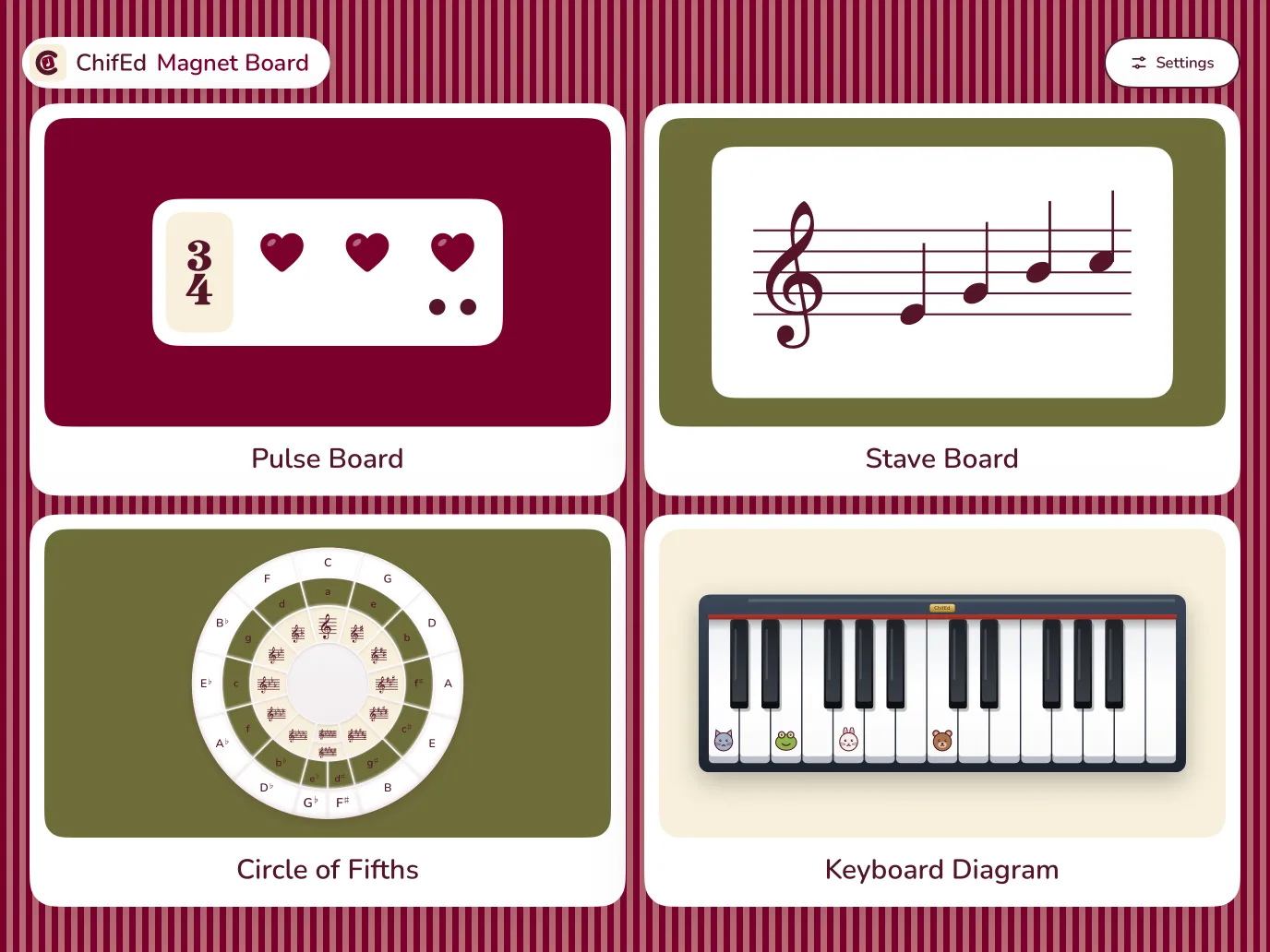
The ChifEd Magnet Board start screen on an iPad in landscape: the Pulse Board, the Stave Board, the Circle of Fifths and the Keyboard Diagram.

Inside Magnet Board

Four boards for explaining music

Each board is ready as soon as you open it, and clear from across the room or with one student beside you. Use one for a minute to explain an idea, or keep it up for the whole lesson.

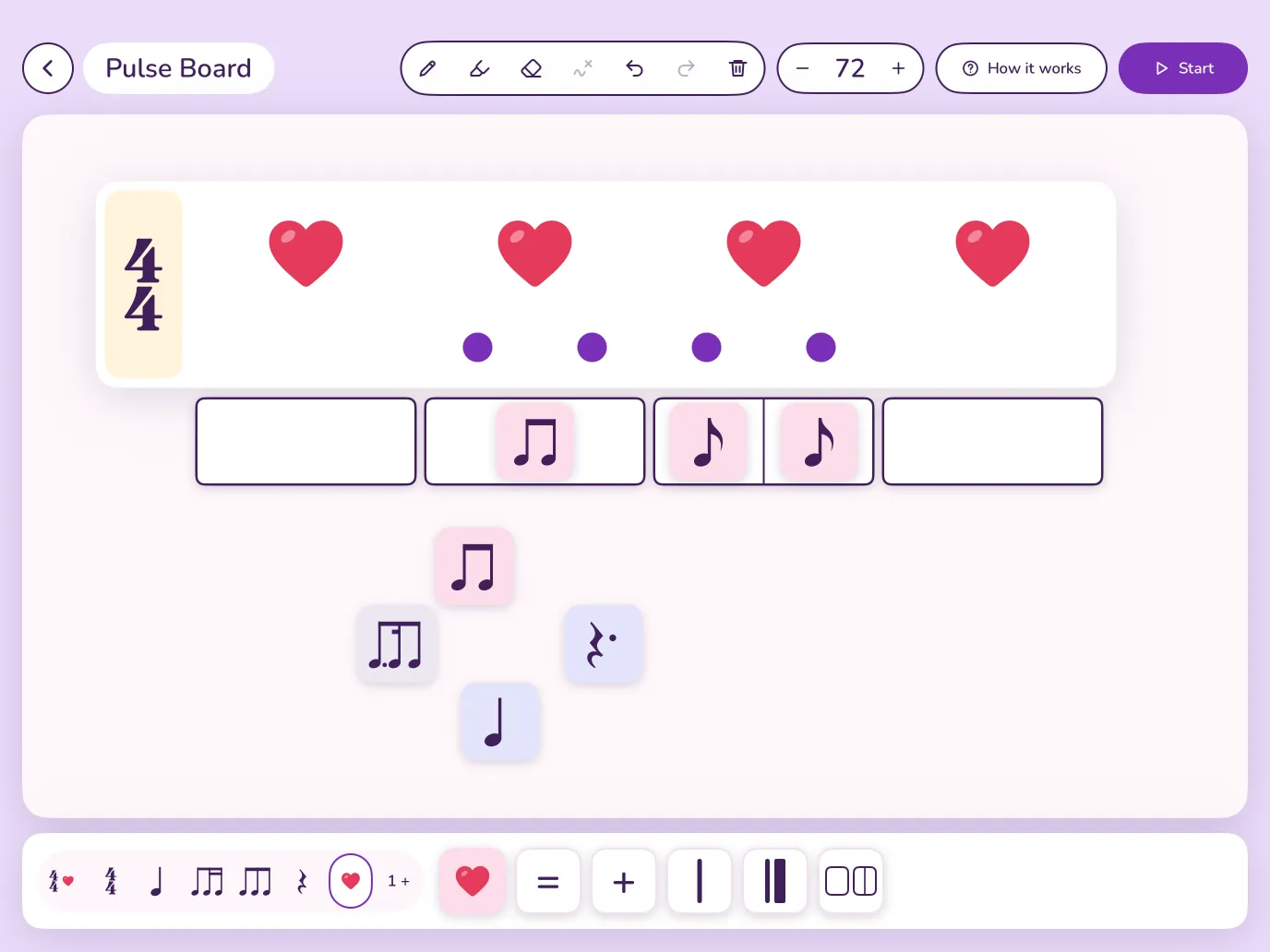
The Pulse Board: a bar of 4/4 with four hearts, dots under two of them, a row of boxes with quavers in it, and more rhythm magnets on the board.

Pulse Board

Not a game: a board for explaining rhythm. Drag time signatures, notes, rests and hearts onto it and move them around while you talk. The hearts beat in time, and the notes stay silent so students can clap them.

Why it helps

Rhythm makes sense when students can see the beat. The hearts make the pulse visible and the notes show the rhythm, so students can distinguish between pulse and rhythm at a glance, and the dots show the subdivisions of beats, so a note’s value becomes how many sounds it makes on a beat rather than a name to learn. It teaches theoretical concepts in a musical and playful way: nothing snaps into the right answer, so you can build something wrong on purpose and ask what’s wrong, and why.
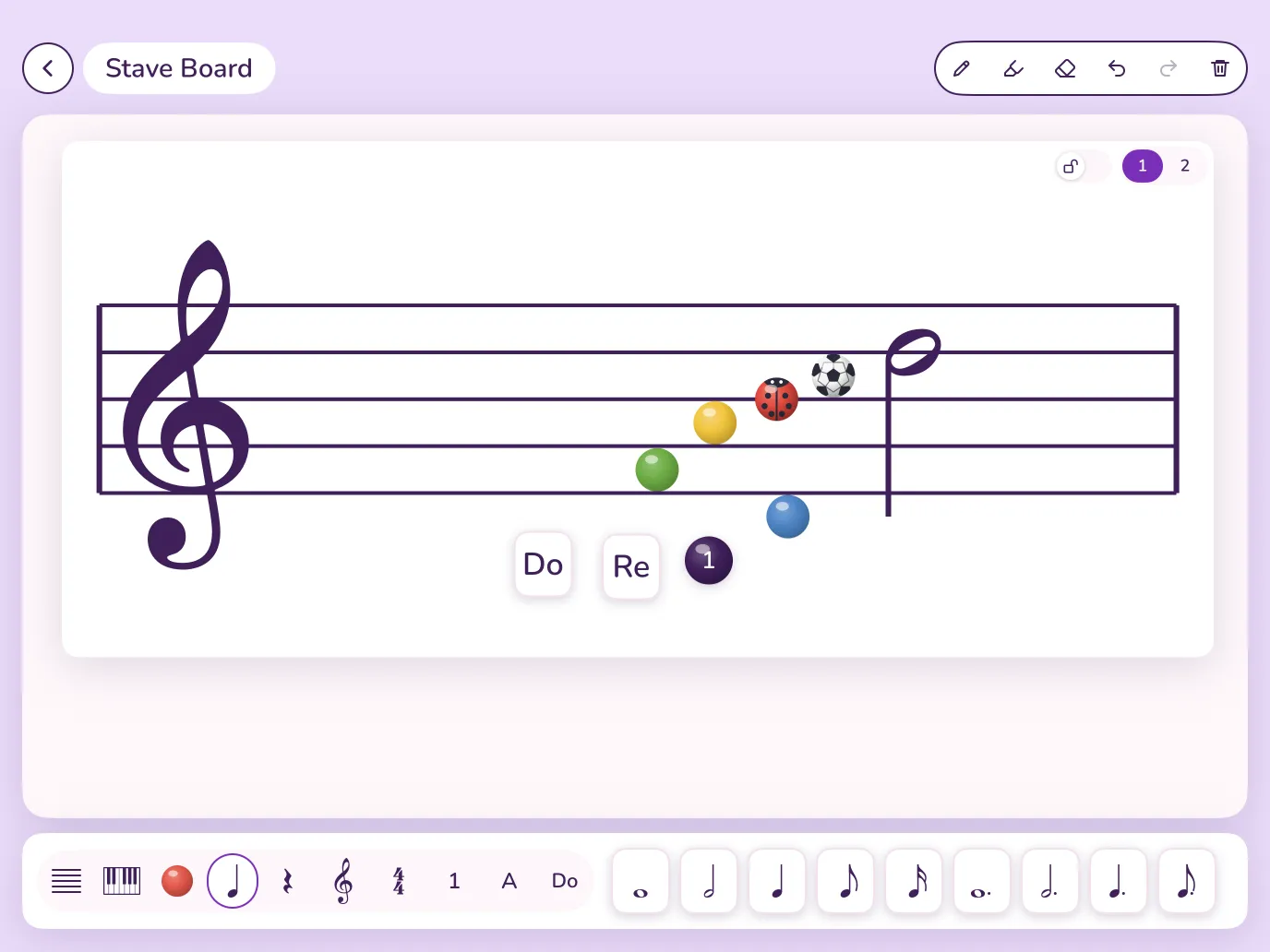
The Stave Board: a treble stave with coloured balls, a ladybird and a football on the lines and spaces, a minim, and magnets saying Do, Re and 1.

Stave Board

A stave to write on with magnets. Drag on clefs (treble, bass, alto and tenor), notes and rests, dotted or not, sharps and flats, bar lines and time signatures, or coloured balls and pictures for students who aren’t ready for notes yet. Add numbers, letters or solfa syllables, use one stave or two in the size you need, and put a keyboard on the board too.

Why it helps

Reading notes is about position: on a line or in a space, higher or lower. Balls and pictures let students place and read those positions before they have to think about stems and note values. A magnet moves in a moment, so a student can try a note and change their mind.

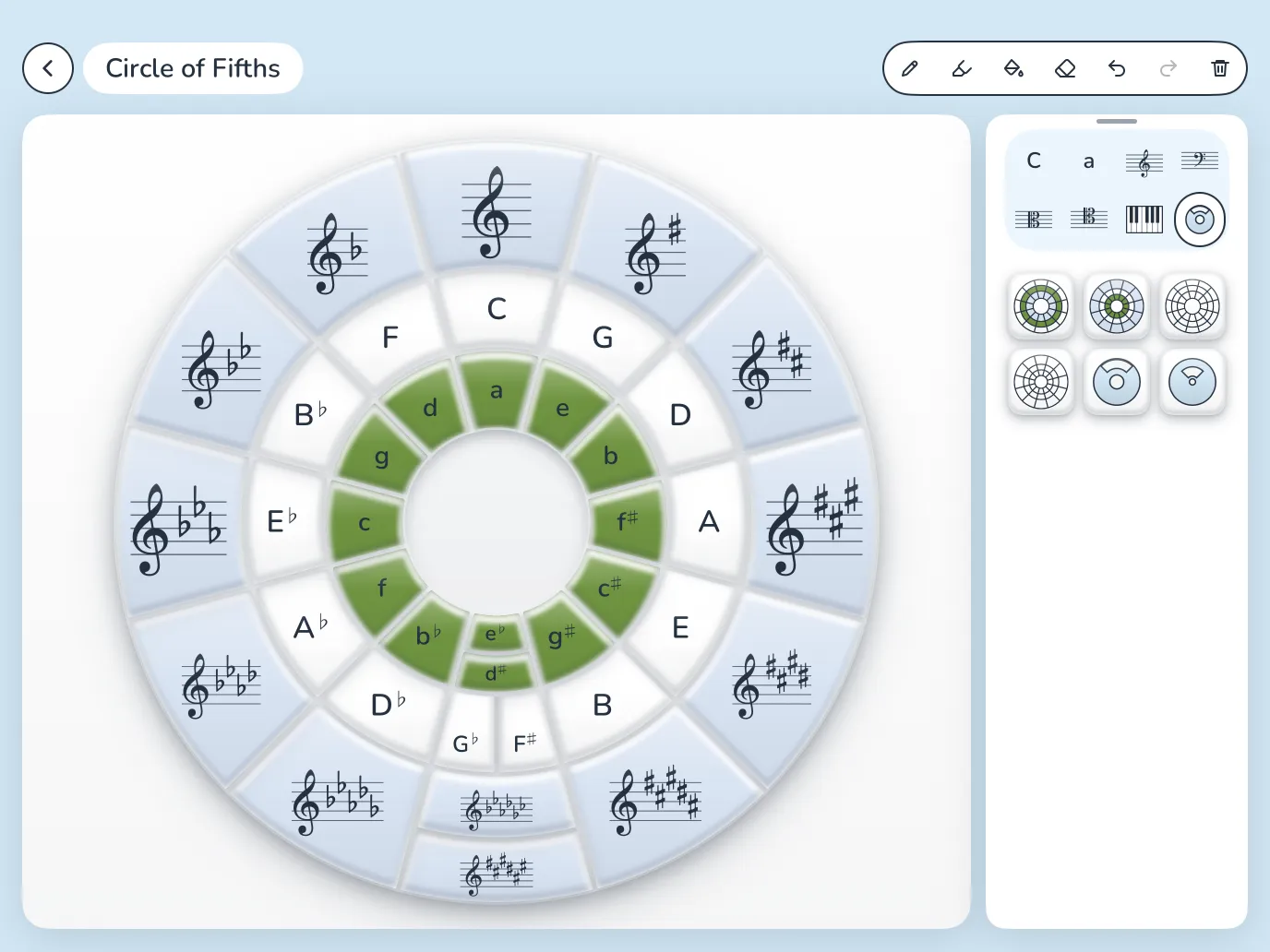
The Circle of Fifths: key signatures round the outside, major keys in the middle ring and minor keys inside, with a tray of circles and a spinner.

Circle of Fifths

The circle of fifths as something you can build. Start with the whole circle or an empty one, and fill it with major keys, minor keys and key signatures in treble, bass, alto or tenor clef, with the keys or the signatures on the outside. Lay the spinner over the circle and turn it to focus on one key at a time through its window; lines you draw on it turn with it. The fill tool colours in any space.

Why it helps

The circle of fifths is easier to remember when students have built it themselves. Placing the keys one by one brings out the pattern: each step clockwise adds a sharp or takes away a flat, and each major key sits with its relative minor.

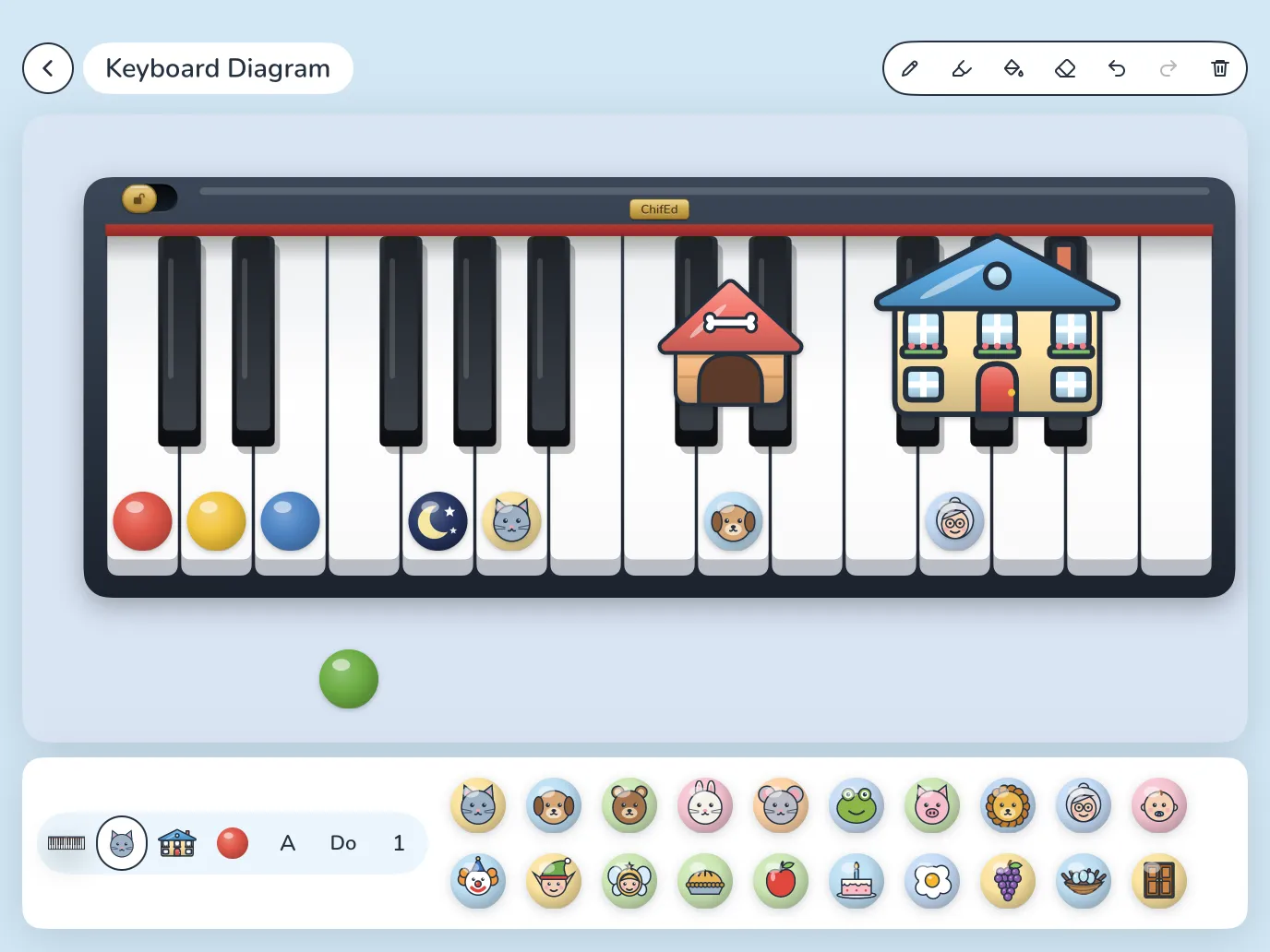
The Keyboard Diagram: a piano keyboard with coloured balls and animal faces on the white keys, and a kennel and a house over the groups of two and three black keys.

Keyboard Diagram

A big keyboard to put magnets on. Choose two octaves or three, then put coloured balls, letters, numbers, solfa syllables and pictures of animals and characters on the keys. Pictures such as a kennel and a house sit over the groups of two and three black keys. Fill keys with colour, and lock the keyboard when you’ve set it up.

Why it helps

Finding your way round a keyboard starts with its pattern of twos and threes, and pictures over the black keys make that pattern easy to spot. A magnet gives each note somewhere to live before its name has been learned. Nothing lights up or marks an answer, so mistakes stand and you can talk about them together.

Made for lessons

Simple enough to use mid-lesson

Easy to see

Big boards and magnets, clear from across the room or with one student beside you.

You decide

Nothing is checked or corrected. Put something in the wrong place on purpose and ask why.

Draw over it

Pens, a highlighter and an eraser on every board, and undo for every change.

Ready for next lesson

Each board stays just as you left it, magnets, drawings and all.

Works offline

No internet needed, so it works in any classroom.

Private by design

No accounts, adverts or tracking. Magnet Board collects no personal information.

The magnets help. The teaching is yours.

Assist, never replace: the one rule ChifEd builds by.

Questions

Frequently asked questions

Who is Magnet Board for?

Music teachers and their students. Use it with a whole class, a small group or one student at a time: the teacher leads, and the boards hold the ideas where everyone can see them.

Which devices does it run on?

iPads with iPadOS 18 or later. It works in landscape only, so the boards are as wide as possible.

When can I get it?

Magnet Board is coming soon to the App Store. This page will link to it as soon as it’s out.

Does it need the internet or an account?

No. Magnet Board works offline, there’s nothing to sign up for, and it collects no personal information. Read the privacy policy.

Does it make sounds?

Only the Pulse Board, whose hearts you can hear. The other three boards are silent on purpose.

Which languages is Magnet Board in?

English, Spanish, French, Portuguese and German. It follows your iPad’s language.

Can I suggest an idea?

Yes, please. Email support@chifed.com and a person will reply.

Coming soon

Magnet Board is nearly ready.

It’s coming soon to iPad. Questions or ideas? We’d love to hear from you.

support@chifed.com